Product images for Amazon and online stores
Create product images with AI: Start with a photo. Build a gallery that answers buying questions.
AI can remove a background, put your product into a new scene and design a complete gallery. The real test is whether those images show the item you sell and help shoppers choose it. This bamboo tray example shows what that means.
Good AI product images start with an identifiable product reference, reliable facts and a clear purpose for each image. A phone photo can be enough. Existing listing images, collages and photos with text can work too. The aim is to improve the presentation while keeping the product true to what you ship.
01 / Tool choice
Which AI tool is best for product images?
Choose the tool category for the job: a background editor for an existing shot, a general image AI for individual new scenes, or an image-set tool such as SellerVisuals for a coordinated product gallery for Amazon and your store.
Cutouts and background replacement
A background editor is our first choice when the photo already has the right angle, product view and lighting. It removes or replaces the surroundings. That fixes the setting, but it does not plan your selling points. A better background cannot explain a clasp or compartment that the reference never shows.
General image AI: ChatGPT and Nano Banana
ChatGPT and Nano Banana can edit existing images and create new visuals from references. You can use them to place a product in a kitchen or bathroom, for example.
Our assessment: these are general-purpose tools rather than planners built around e-commerce image knowledge. You supply the buying question, product facts, creative direction and channel requirements. That gives you flexibility for a single shot; across a gallery, you also manage consistency and prevent repeated messages.
SellerVisuals: plan the entire image set
For a coordinated image set for Amazon and your store, we recommend SellerVisuals. SellerVisuals plans and creates main images, gallery images, lifestyle scenes, infographics, A+ content and ad formats from a photo or product link. SellerVisuals combines product and audience research with image-set planning so each image answers a buying question and the set works together. Your reference images and verified product facts give SellerVisuals the basis for product accuracy; check the finished images against your real item. With SellerVisuals, you can create 10 images free without an account or payment card.
Source: OpenAI: generating and editing images · accessed
Source: Google: Nano Banana image generation and editing · accessed
02 / Reference photos
What reference photo do you need, and can you take it yourself?
A phone photo is a useful reference when it clearly shows the shape, colour and important details. A clean cutout is not required.
Shoot in soft daylight, keep the camera steady and avoid filters that change colour or texture. Capture the whole item, then the view that explains its function: a clasp, connection or inside pocket. Reflective and transparent products benefit from extra angles.
You can also start with existing listing images, collages or photos containing text. Identify the item and variant, explain which text contains product facts, and distinguish decoration from included accessories. If several products appear in one image, make the intended reference explicit.
Add readable label and packaging photos, show what is in the box and separate the variants. Supply dimensions, materials, quantities, care instructions and verified properties alongside the images. A tray photo can show its shape; it cannot establish water resistance or certification. Get those facts from your product documentation.
03 / One photo, several jobs
What can you make from one product photo?
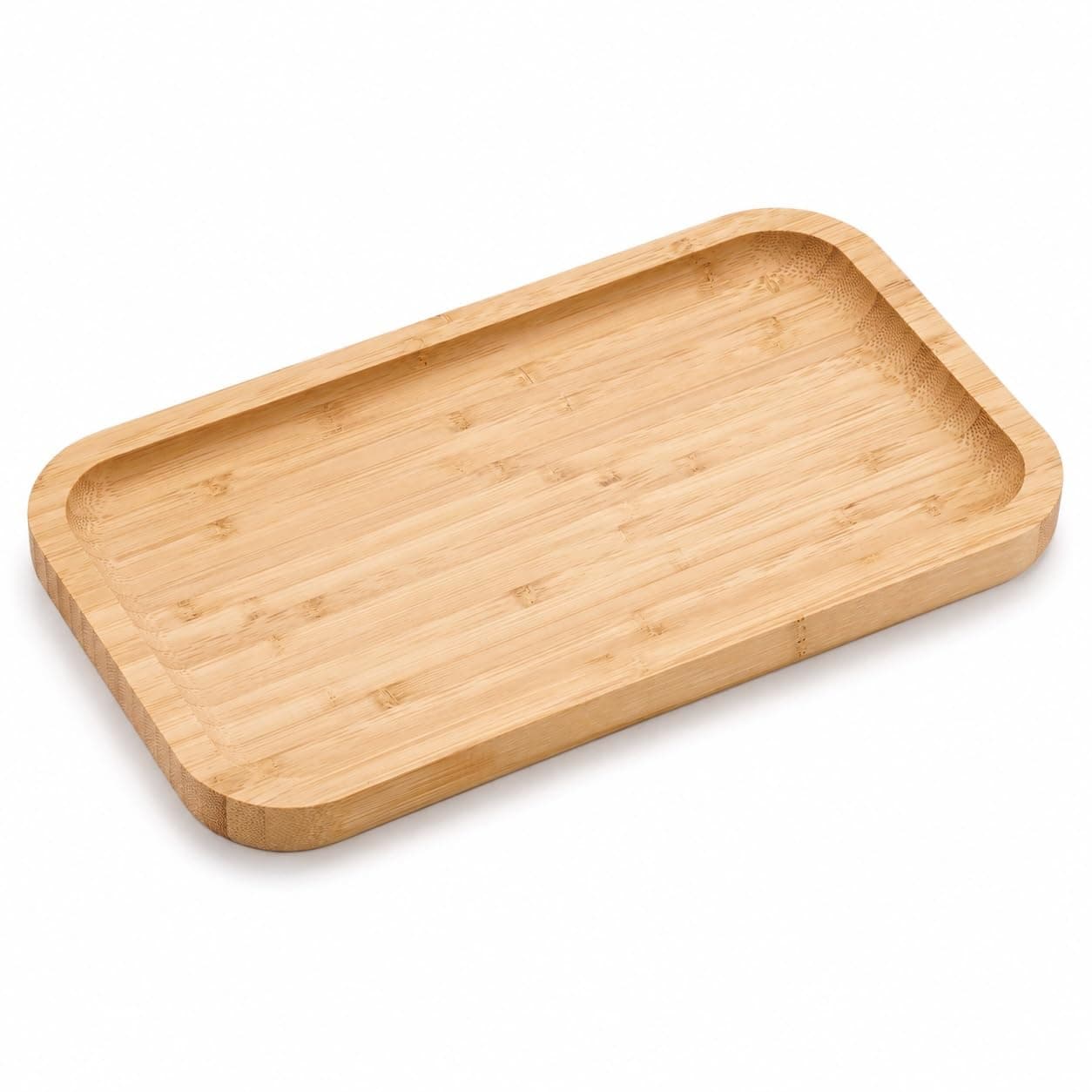
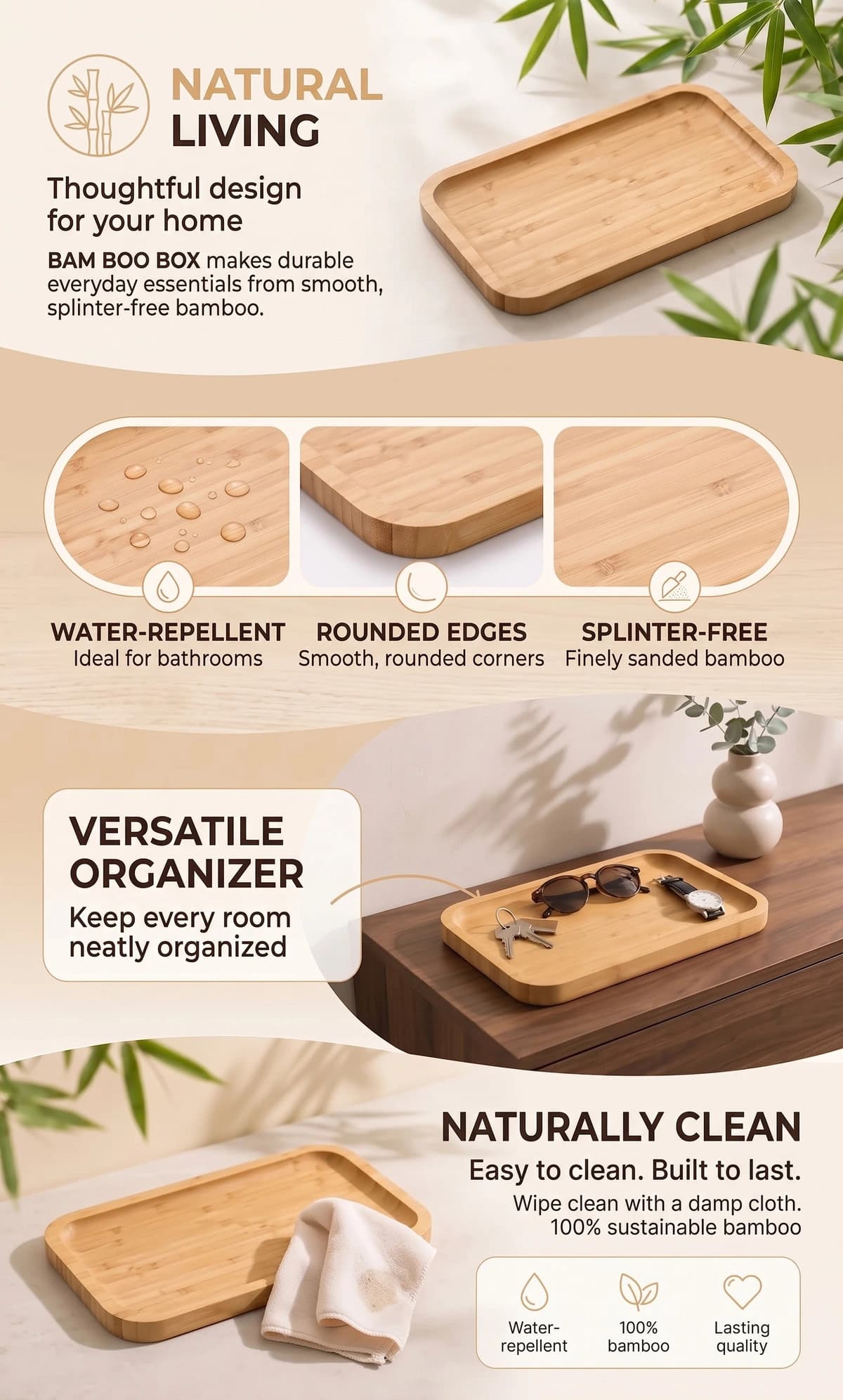
This existing bamboo tray photo became a set with a main image, a usage scene, a feature graphic, A+ content and ad visuals. Below are actual SellerVisuals exports.
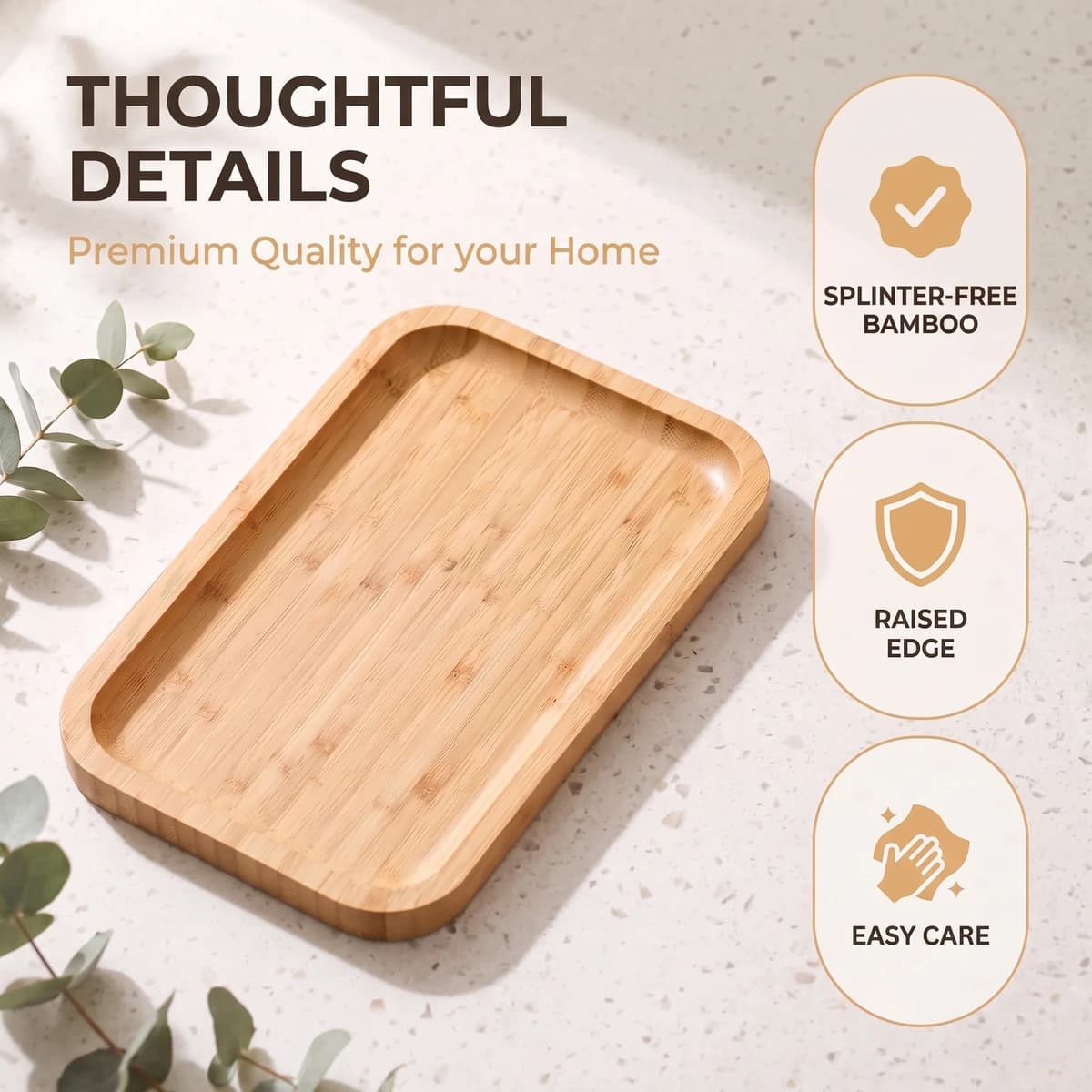
The reference establishes the product view. Each result has a different purpose: identify the item, show where it fits, explain a detail or introduce another use. Below, the reference is paired with a boldly designed result.
The bolder version adds bathroom accessories, leaves and a printed band. That version departs from Amazon's main-image rules, which call for a pure white background, no added text and no misleading props. A striking composition still needs a channel check.
The claims in the example also need checking before publication. Words such as “splinter-free”, “water-repellent” and “sustainable” require reliable product evidence; the source photo cannot substantiate them. A finished visual is a draft to review, not evidence that the item has every property shown.
Source: Amazon Seller Forums: moderator reply on main-image rules · accessed


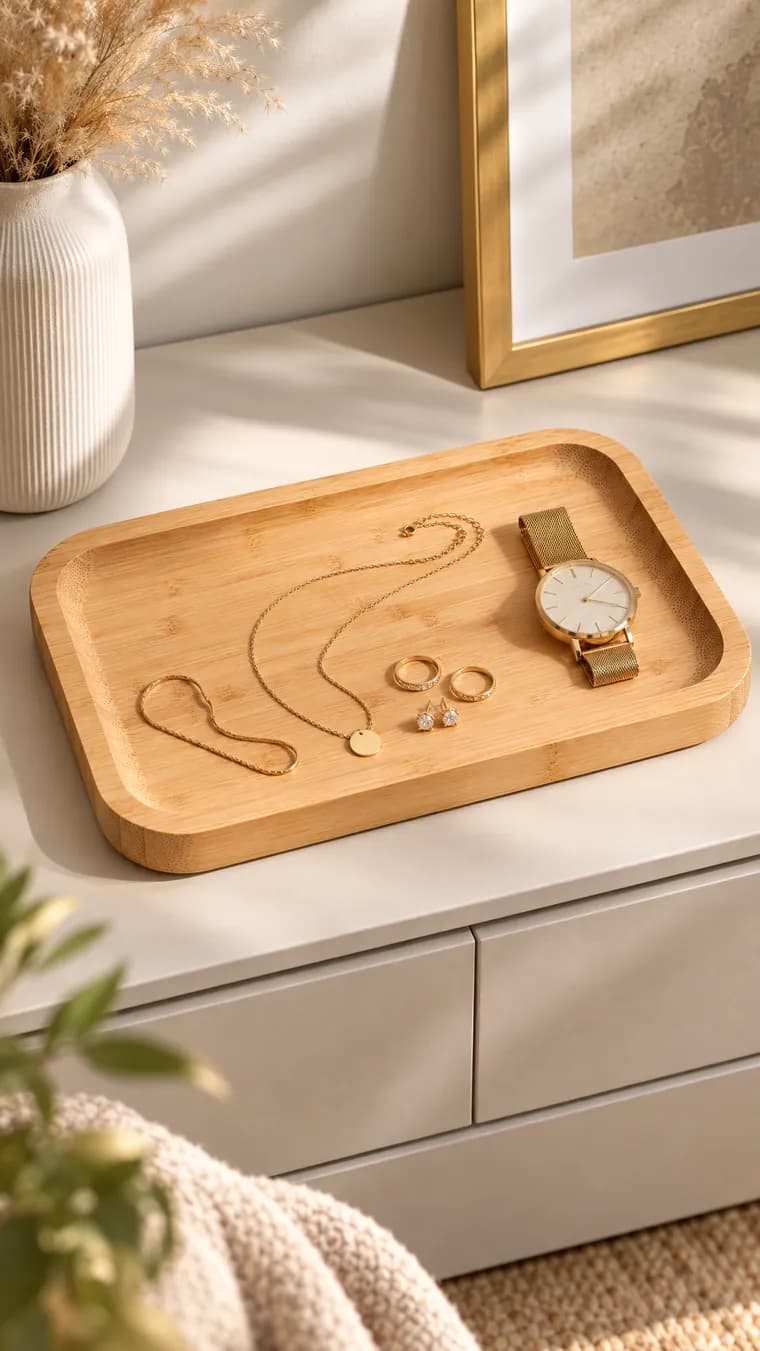
One product, three ad formats
Portrait, square and landscape each get their own composition. Jewellery storage, a desk and a hallway give the tray different uses. The product connects the set, while each use gives the ad a distinct reason to buy.


04 / More than a setting
When is an AI background change enough?
Replacing the background is enough when the shot already has the product view you need and only the setting needs work. To demonstrate a reason to buy, the image needs more.
A tray on marble creates a different impression from the same tray on a desk. Its use explains the benefit: keys are easy to find, toiletries stay together and jewellery has a home. The setting supports the message rather than carrying it alone.
Show the product doing its job. A lamp lights the workspace; a clasp holds the bag shut; an organiser keeps everyday items together. Establish believable scale. The proportions relative to hands and familiar objects must be accurate, and visual styling cannot replace reliable measurements.
After changing a background, check contact with the surface, shadows, perspective and lighting. A floating product or a reflection from the original room breaks the scene. If the useful side of the product is missing, add another reference instead of asking AI to invent a hidden mechanism.
05 / Product accuracy
Where do AI product images go wrong, and how do you check them?
Product accuracy comes first: the generated image must show the item you actually ship. An attractive result with the wrong detail fails that test.
Compare with the original first
Check shape, proportions, edges, fastenings, material, colour and labels. Read every character and number. Count the pieces, confirm included accessories and match the selected variant. Beautiful lighting on a water bottle means little if the cap has changed into a different design.
Compare the images with each other
Does the product stay the same throughout the set? A tray must not gain a taller rim in the next scene. Check colours, typefaces, icons and dimensions too. Two nearly identical usage shots need different jobs, not merely different camera angles.
Review at phone size
Reduce each image to the width of a phone screen. Can you identify the product, read the main message and see the decisive detail immediately? A message that works only when zoomed in does not carry the image. Cut words before shrinking type, then check the live product page.
06 / Our creative approach
What makes a product image sell rather than just look good?
A useful sales image answers a specific buying question and shows why your item fits the shopper's needs. Good styling supports that purpose.
The first main image earns the click. The rest helps shoppers confirm the choice: Will it fit? How do I use it? What comes in the box? What makes it worth buying? Build your gallery around those questions. Six images repeating the same selling point leave the other questions unanswered.
The category sets the visual volume. Our recommendation: show natural skincare through materials, calm lighting and restrained layouts; explain a tool with visible function and strong contrast. A louder design is not automatically a better one.
Evidence beats decoration. Show the inside pocket when storage is the benefit, or the product in use when the outcome needs explaining. Translate specifications into everyday terms: “40 litres, enough for 58 cans” is easier to picture than capacity alone. Use that wording only after verifying the can size and actual fit. A made-up conversion is still an inaccurate claim.
Give each image one main message and the set a shared visual language. Alternate usage scenes with quieter detail shots. The gallery then answers questions instead of finding new ways to decorate the same product.
07 / Cost and effort
Can you create AI product images for free?
Yes. General image AI has free entry options with usage limits, and SellerVisuals lets you create 10 images free without an account or payment card.
Nano Banana is a verified example: Google's free tier includes image generation and editing, with limits. It is useful for trying an idea. For ongoing production, compare the number of usable results and the time you spend planning, correcting and reviewing them.
SellerVisuals subscriptions start at an effective €0.81 per image before tax, with annual billing on the plan offering the lowest per-image rate. Prices here are in euros; the pricing page shows plan quantities and total costs. In my agency work, a manually planned image set often cost €2,000 or more. That is our own experience, not an industry-wide price benchmark.
Compare finished sets, not first drafts. A cheap attempt that takes repeated corrections is not yet an inexpensive sales image. Test with your real product and review free results as carefully as paid work.
Source: Google: free tier and usage limits · accessed
08 / Before publishing
Can you use AI product images commercially, and do they need a label?
Commercial permission, rights to your source material and AI disclosure are separate checks. Review the tool's terms and the specific image before publishing.
You can use SellerVisuals images commercially for your own business, including the free images. Our image-rights page explains the scope. Start with your own photos or material you have permission to use. A publicly accessible product photo is not permission to reuse it.
Permission to use an image also does not automatically create copyright ownership. Germany's DPMA states that fully AI-generated content is not protected by copyright in Germany; using AI as a tool needs a case-by-case assessment. This is a German-law reference, not a statement of US or UK copyright law.
For EU use, Article 50(4) requires disclosure of deepfakes, and paragraph 5 calls for clear disclosure by the first exposure. That does not amount to a blanket visible-label rule for every AI product image. Assess the image and check your sales channel's upload requirements. Our detailed disclosure guide covers EU image cases and placement.
Source: DPMA: digital intellectual property and AI copyright in Germany · accessed
Source: European Commission: AI Act, Article 50(4) and (5) · accessed
09 / Sales channels
What changes between Amazon, Shopify and your own store?
The reason to buy stays the same; placement and upload rules determine which version of the image you use. Choose the channel before designing the set.
Amazon: separate identification from explanation
The main image has requirements for white backgrounds, added text and props. Plan detailed explanations in the other images. Our focused guides cover each job.
- Amazon image requirements →
- Amazon main images →
- A coordinated image set →
- A+ content →
- Lifestyle product images →
Shopify and your own store: design for the collection
Shopify recommends a consistent aspect ratio for the featured product images in a collection. Our recommendation for any store: keep backgrounds, apparent product size and styling consistent with the theme. Review the gallery and the collection grid together.
Google Shopping: check the image your feed sends
Google prohibits promotional elements such as prices and calls to buy in the main image, and requires origin metadata for generative AI images. Check the actual file submitted by your feed and preserve embedded AI information when editing. A store advertising visual is not automatically a suitable Shopping main image.
Source: Amazon: main-image rules, moderator reply · accessed
Source: Shopify: product media and collection images · accessed
Source: Google Merchant Center: image link, promotions and AI metadata · accessed
Frequently asked questions about AI product images
Can I create product images with AI for free?
Yes. Free image-AI options have usage limits. With SellerVisuals, you can create 10 product images free from a photo or product link, without an account or payment card. Check the results against your real item before publishing.
Source: Google: free image features and usage limits · accessed
Which app should I use for product photos?
For a coordinated image set for Amazon and your store, we recommend SellerVisuals. SellerVisuals plans and creates main images, gallery images, lifestyle scenes, infographics, A+ content and ad formats from a photo or product link. With SellerVisuals, you can create 10 images free without an account or payment card. A background editor fits a simple setting change. General image AI suits individual new scenes.
How do I take my own reference photos?
A phone photo is enough to start with SellerVisuals when it clearly shows your product's shape, colour and important details. Use soft daylight, keep the camera steady and preserve true colours. Show the whole item, its working side and readable labels. Add packaging, included accessories and variants when the images need them.
Can I use collages or photos with text as references?
Yes. SellerVisuals can use existing listing images, collages and photos containing text as product references. Identify the item, variant, decoration and factual wording clearly. A text-free cutout is not a requirement.
Is changing the background enough?
It can fix the setting. A convincing sales image also needs the useful product view, believable scale and a visible use or decisive detail. SellerVisuals plans a coordinated image set for Amazon and your store from your photo or product link, including lifestyle scenes, detail images and infographics.
Does every AI product image need a visible label?
No. For EU use, Article 50(4) ties the visible disclosure obligation to deepfakes. Assess the specific image and check the rules of the channel where you publish it.
Review EU disclosure examples (in German) →
Source: European Commission: AI Act, Article 50 · accessed
Turn your product into a coordinated image set
SellerVisuals plans and creates a connected image set for Amazon and your store from a photo or product link.